 Dino Kids
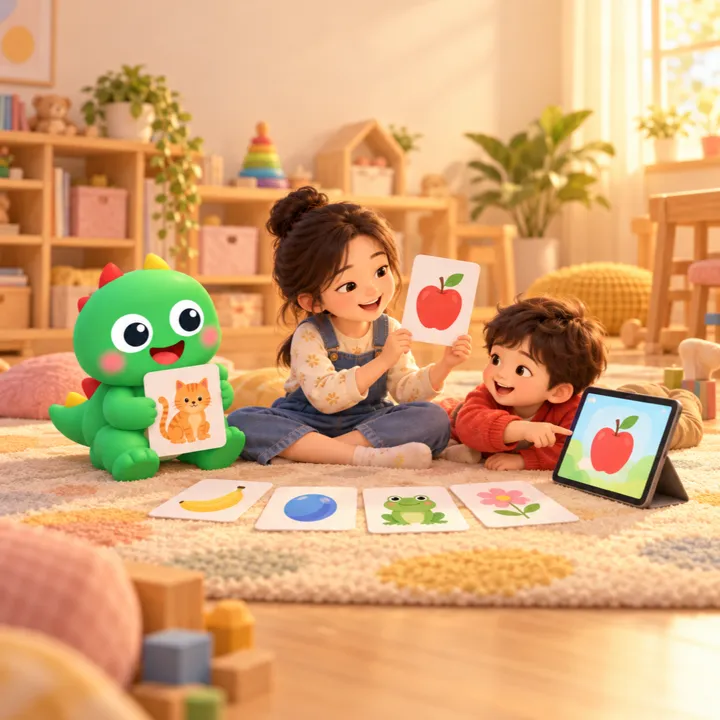
A three-year-old learns a new word by looking at something familiar and hearing a grown-up name it, again and again, until they can name it themselves. Word cards in Dino Kids do exactly that: each card has one picture, with the word below in the languages your child is learning, and every line is read aloud. There are 999 words in 26 topics from a young child's everyday life: animals, birds, bugs, fruit, vegetables, the kitchen, the bathroom, toys, clothes, the body, the train station, the airport, vehicles, the weather… Every card has all five languages: English, Vietnamese, Japanese, Korean and Chinese (with pinyin).
You can preview all 999 cards on the web in the Word cards section, for example the Animals topic.
Where your child finds Word cards
On the home screen your child taps Learn languages (if they learn more than one language, they pick one), then taps English word cards, Japanese word cards and so on, just before the Stories card. The first screen is a grid of topics, each with its own picture, so your child can pick a topic before they can read.
One big card at a time
- Your child swipes sideways to the next card. For children who can't swipe yet, there are big

 buttons on either side.
- Moving to a card reads its first line aloud. Tapping a line of words or its speaker button reads that line; tapping the picture reads every line in turn.
- A card only shows the languages your child learns, set in your child's profile (see setting up child profiles). The language of the subject your child opened comes first: open it from English, and the first line, the one read aloud, is English.
- Chinese has pinyin right above each character; Japanese is written in kana.
- At the end of a topic your child chooses Again to see the cards in a new order, or Next topic.
Review: the words hide so your child remembers
Remembering a word takes seeing it many times. Once your child has seen five cards or more, a Review tile appears at the start of the topic grid. The app picks cards your child has already seen, the least-seen first.
In a review round each card opens with only the picture: the words and the voice are hidden, so your child says the name first. Tapping Show the words brings the words back, and the card then plays like any other. To review with the words always visible, turn on Always show words in the top row.
Turning cards by itself
The Turn cards by itself button in the top row lets your child listen straight through without tapping: each card is read line by line, the app waits a few seconds, then moves to the next card. If your child taps or swipes along the way, the app follows them and starts counting again from the card they are on. At the end of a topic it stops; it never moves on to another topic by itself.
Hidden words in review and Turn cards by itself are new. If you don't see them yet, update Dino Kids from the App Store or Google Play.
How parents can use the cards
- Sit alongside and ask first. Point at the picture and ask "what's this?" before the app says it. Any language your child answers in is fine.
- A little, often. One topic at a time suits little ones; the next day, open Review to meet yesterday's words again.
- A two-language home. Choose exactly those two languages in your child's profile, for example English and Japanese. Each card then has just two lines, nothing to get mixed up.
- Print paper cards. Open a topic in the Word cards section on the web and use your browser's Print: the page lays itself out as a grid of cards with dashed lines to cut along. Paper cards are handy when there is no device around, for a guessing game or to stick on things around the house.
Good to know
- Every card is free, like the whole app: no ads, no in-app purchases. Dino Kids is a product Digi Dinos makes for the community.
- Pictures and voices download to the device when your child opens a topic, so the first time needs a connection; cards already downloaded work offline.
- Which cards your child has seen is recorded only on the device, per child profile, and is not sent anywhere.
- The word list and translations were written by the Dino Kids team. If a translation looks wrong, or you would like another topic, write to us at dinokids@digidinos.com.