 Dino Kids
Three-year-olds are startlingly good with a phone. They swipe, tap and find the video they want before you have finished your sentence. Most parents feel two things at once: a little proud, and a little uneasy. Everyone has heard "no screens for little kids", yet dinner still needs to happen, the car journey still needs to pass, and parents still need ten minutes to breathe.
This article is not here to make you feel guilty. It answers three practical questions: how much screen time is reasonable for a 3 to 6 year old, what kind of screen time actually helps, and how to set limits without a daily battle.
The short answer: how much per day?
The two recommendations quoted most often around the world say almost the same thing.
The World Health Organization (WHO, 2019), in its guidelines on physical activity, sedentary behaviour and sleep for children under 5:
- Age 1: sedentary screen time is not recommended.
- Age 2, and ages 3–4: no more than 1 hour a day; less is better.
The American Academy of Pediatrics (AAP, 2016), in its policy statement "Media and Young Minds":
- Under 18 months: avoid screens, apart from video-chatting with family.
- 18–24 months: if you introduce media, choose high-quality programmes and watch together.
- Ages 2–5: limit screen use to about 1 hour a day of high-quality programming, watch with your child, help them understand what they see and apply it to the world around them.
- Age 6 and up: set consistent limits on time and type of content, so that media does not crowd out sleep, physical activity and other healthy habits.
So what about a 5 or 6 year old? The WHO guideline stops before age 5, and the AAP moves from "one hour" to "consistent limits". For a child about to start kindergarten, one hour of recreational screen time is still a sensible anchor; schoolwork is a separate question.
If your family is over that line, you are far from alone. A meta-analysis of 63 studies covering nearly 90,000 children (McArthur and colleagues, 2022) estimated that only about 36% of 2 to 5 year olds stay within one hour a day. That is not a reason to stop trying. It is a reminder that cutting back gradually is something almost every family is working on.
One hour is a ceiling, not a target
The part of the WHO guideline that gets overlooked is the rest of the day. For 3 and 4 year olds, the WHO recommends at least 180 minutes of physical activity a day (at least 60 of them moderate to vigorous), 10 to 13 hours of good sleep including naps, and not being restrained for more than an hour at a time. When children are sitting still, the WHO encourages reading and storytelling with a caregiver.
In other words, the question is not only "how many minutes of screen", but "what is the screen taking the place of".
Not all screen minutes are equal
An hour alone scrolling short videos is very different from an hour spent video-calling grandma together, watching one programme and talking about it, or playing a letter game side by side.
A meta-analysis by Madigan and colleagues (2020) pooled 42 studies of almost 19,000 children to look at screens and language skills:
- More hours of screen use went with weaker language skills; so did background TV that nobody was watching.
- Educational programmes and watching with an adult went with stronger language skills.
- Starting screens later also went with stronger language.
These are correlations; they do not prove screens cause anything. But a study that followed almost 2,500 children in Canada (Madigan and colleagues, 2019) found that when the same child had more screen time at one age, they scored slightly lower on a developmental screening test at the next check. The effect was small, but it pointed in one direction.
The AAP explains why using screens together matters. Toddlers learn best from media when a parent watches with them and teaches the content again. Touchscreens can notice when a child answers correctly and adjust, which is a genuine strength. But the AAP is blunt: most apps in the "educational" section of app stores have no evidence that they work, and the skills that matter most for school, such as persistence, impulse control, managing emotions and flexible thinking, are best learned through unstructured play and play with other people, not through screens.
What co-viewing and co-play look like
You do not have to sit through a whole hour. A few minutes is enough, as long as you talk:
- Ask: "Is she sad or happy? How can you tell?"
- Name what your child sees, then find the same thing at home: "That cat is orange, like the neighbour's cat."
- Let your child drive, and just ask: "Why did you pick that letter?"
- When it is done, switch it off and take the story off the screen: draw it, retell it, act it out.
Two times to switch off completely: meals and the hour before bed
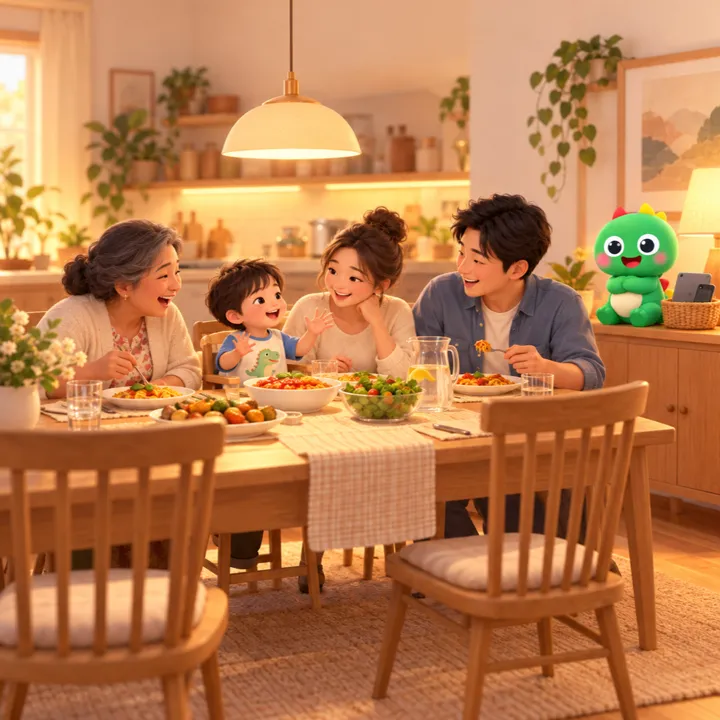
The AAP recommends keeping mealtimes, bedrooms and parent–child playtime screen-free, for parents as well as children, and no screens in the hour before bedtime, with devices out of the bedroom.
The reasons it gives: in young children, more media time and a device in the bedroom go with fewer minutes of sleep a night. The mechanisms include arousing content and blue light from screens suppressing melatonin, the hormone that makes us sleepy. Watching TV while eating makes children pay less attention to feeling full.
One more point that is easy to miss: the AAP advises not using media as the only way to calm your child. Now and then, at a vaccination or on a long flight, it is fine. But if every meltdown ends with a device, a child loses the chance to practise calming down on their own.
And parents' screens count too. The AAP notes that heavy parent phone use goes with fewer conversations and less interaction with children. A phone face down at the dinner table is a lesson children see very clearly.
Signs it may be time to cut back
There is no single line that fits every child. It is worth paying attention when you notice several of these together, and for a while:
- The screen is the first thing your child asks for in the morning, and is clearly preferred to everything else.
- Stopping turns into a big meltdown every time, even with a warning.
- Toys, drawing and running around have dropped off; outings end with requests to go home and watch.
- Sleep is harder, later, or mornings are tired and grumpy.
- Meals only happen with a device propped up.
If you see these, avoid going cold turkey. Cut down step by step, replace screen time with something your child enjoys, and keep the routine the same every day. If you are worried about your child's language, sleep or behaviour, talk to your paediatrician, who can examine your child and give advice that fits them.
Set limits with the tools already on your device
A three-year-old cannot stop on their own, and should not be expected to. Letting the device say "time's up" saves you from being the bad guy. iPad, iPhone and Android all have built-in tools; you do not need to install anything.
On iPad and iPhone:
- Screen Time in Settings: set "Time Allowances" (a daily budget, which you can split by app category), "Screen Time Schedules" (which apps are available at which times, with separate weekday and weekend routines), and "Content & Privacy Restrictions". You can set it on your child's device with a Screen Time passcode, or manage it from your own device through Family Sharing. These are the names in iOS and iPadOS 27; earlier versions use slightly different ones.
- Guided Access (Settings > Accessibility): locks the device to a single app with a time limit. When time runs out, a full-screen message appears and only someone with the passcode can continue. It is ideal when your child borrows your iPad.
On Android:
- Google Family Link: set a "Daily limit" with a weekly schedule; when time is up, the device locks. It needs a Google Account for your child, managed by you.
- Digital Wellbeing in Settings: "App timers" limit the minutes per day for each app, and an App limits PIN means only you can change them.
- App pinning (usually under Settings > Security): keeps the device on one app, and a PIN is needed to leave it.
Names and locations vary a little by manufacturer and version; the Apple and Google help pages at the end of this article walk through each step.
A few tips for little ones: stop at a natural stopping point, such as the end of a video or a game, rather than by the clock; agree in advance on what comes next ("when this one ends, it's bath time"); and keep the routine the same each day. A University of Washington study (Hiniker and colleagues, 2016) found that a "two more minutes" warning was linked to more upset reactions, while switching off went more smoothly once it had become a routine. Young children accept limits far more easily when the limit is familiar, not up for negotiation. For a step-by-step approach, see Toddler Addicted to YouTube?.
Choosing apps for your child: six questions
If screen time is limited, it should go to something worthwhile. Before handing an app to your child, ask:
- Does it have ads? The AAP calls advertising to young children unethical, because they cannot tell advertising from information.
- Does it have in-app purchases? A buy button in the middle of a game is something children tap by accident, and pressure they should not have to deal with.
- Does it auto-play the next video? The AAP asks developers to turn auto-advance off by default, precisely because it makes stopping harder for parents.
- Does it have natural stopping points? A lesson, a story or a round of a game with a clear ending helps a child know when they are done.
- Is it full of distracting effects? The AAP advises avoiding fast-paced programmes and apps with lots of distracting content; with eBooks, busy effects can reduce how much children understand.
- Can you try it first? The AAP suggests testing an app before your child uses it, playing together, and asking your child what they think of it.
One more if you care about data: does the app include third-party analytics or tracking? The app's privacy policy and the privacy section on its App Store or Google Play page usually say.
What to do instead of screens
The WHO encourages reading and storytelling with a caregiver whenever young children are sitting still. It is the easiest swap there is: no expensive toys, just ten minutes and a story.
If you have run out of books at home, the folk tales on this site can be read straight from a browser. You hold the phone and read aloud; your child sits on your lap and listens, watching your face rather than a screen. For families raising children abroad, reading in your home language is also one of the best ways of keeping that language alive.
Other good swaps: blocks, play dough, drawing on paper, cooking together, and most of all, running around outside.
What Dino Kids can do — and what it can't
Let us be direct first: Dino Kids has no timer and no eye-break reminder. To limit time, use the device tools above. They work at system level, across every app rather than only ours, so they are more reliable.
What the app can do is keep the minutes your child does spend on it worthwhile:
- No ads, no in-app purchases. The app also contains no third-party analytics or advertising trackers. Dino Kids is free, and it is something Digi Dinos builds for the community.
- Natural stopping points. The "Three things today" card on the home screen gives three small tasks a day; once they are done, your child knows that is enough for today. Other subjects stay open, because the app does not lock anything, so "three things, then the iPad goes away" is a rule you set. In Stories, when a story ends, it stops; the app does not start another one. The app does count a daily streak and award badges; missing a day is fine, and it is worth telling your child so.
- You can see how long they use it. "The last 7 days" summary sits in Parental Controls, at the top of Settings, behind a multiplication question a 3 to 5 year old cannot answer: minutes of learning, days with learning, a comparison with the week before, and three letters worth practising next week. Every number is worked out on the device and sent nowhere.
- Built for doing together. Parents can record their own voice for the lessons, or read a whole story aloud so their child hears it in a familiar voice.
What the app cannot replace: time running around outside, enough sleep, and those moments when you sit down, ask your child a question, and wait for the answer. Even the best screen is only a small part of a good day.
Is there something you would like the app to do differently to support healthier use? Write to us at dinokids@digidinos.com.
References
- WHO, To grow up healthy, children need to sit less and play more, 2019; full guideline: Guidelines on physical activity, sedentary behaviour and sleep for children under 5 years of age.
- AAP Council on Communications and Media (Radesky J., Christakis D. et al.), Media and Young Minds, Pediatrics, 2016.
- Madigan S. et al., Associations Between Screen Use and Child Language Skills, JAMA Pediatrics, 2020.
- Madigan S. et al., Association Between Screen Time and Children's Performance on a Developmental Screening Test, JAMA Pediatrics, 2019.
- McArthur B. A. et al., Global Prevalence of Meeting Screen Time Guidelines Among Children 5 Years and Younger, JAMA Pediatrics, 2022.
- Hiniker A., Suh H., Cao S., Kientz J. A., Screen Time Tantrums: How Families Manage Screen Media Experiences for Toddlers and Preschoolers, CHI 2016; University of Washington summary: Two-minute warnings make kids' screen time tantrums worse.
- Apple, Use Screen Time to manage your child's iPhone or iPad and Use Guided Access on iPhone or iPad.
- Google, Manage your child's screen time (Family Link) and Digital Wellbeing.