 Dino Kids
Six o'clock. Dinner is on the stove, one parent is still on a call, and a small person is hanging off your leg. You open YouTube, hand over the phone, and the house goes quiet. Ten minutes becomes half an hour, half an hour becomes an hour. When dinner is ready and the phone comes back, the meltdown begins.
If that sounds like your house, you are not a bad parent. A University of Washington study that interviewed families of 1 to 5 year olds and had others keep screen-time diaries found that parents handed over screens most often while doing chores or caring for the child in some other way, not so they could relax themselves. You needed fifteen minutes, and YouTube was in your pocket.
This article will not tell you to throw the phone away. It answers three questions: why YouTube is so hard to stop, how to wean your child off it with fewer tears while you are still busy, and what to put in their hands instead.
Why YouTube is harder to put down than a picture book
Your child is not being "naughty". They are up against a product built to keep viewers watching for as long as possible, and they are three or four years old.
- There is no end. A picture book has a last page. On YouTube, one video ends and the next one starts. In the University of Washington study, parents named autoplay and pop-up video suggestions as the source of many battles. The American Academy of Pediatrics (AAP) has asked product makers to turn autoplay off by default.
- There is always something new. The recommendations never run out, and short videos are faster still. Your child never reaches the feeling of "that's enough".
- It takes no effort. Your child just sits and watches. The screen moves, talks and sings on its own.
And the content? In 2020, Common Sense Media and the University of Michigan analysed more than 1,600 videos watched by children under 8 on YouTube (the main site, not YouTube Kids). 95% of early childhood videos contained some form of advertising, 45% featured or promoted products to buy, 30% contained at least mild physical violence, and only about 4% were rated as having high educational value.
Knowing this helps in two ways: you can stop blaming your child, and you can see that getting them off YouTube is not a battle of wills. It is swapping something with no stopping point for something that has one.
Handing over the phone to keep the peace: when it's fine, when to worry
Handing over a screen now and then, at the doctor's, on a long car ride, on an evening when you are simply exhausted, is normal. The AAP only advises against making the screen the only way you calm your child.
There is data behind that. A study led by Jenny Radesky at the University of Michigan (JAMA Pediatrics, 2022) followed 422 children aged 3 to 5 for six months. Children whose parents frequently used phones and tablets to calm them went on to show more trouble regulating their emotions: quicker to blow up, slower to settle. The link was strongest in boys and in children who were already very active. It is an association, not proof that screens cause it, but the researchers' explanation is easy to follow: every time the device does the calming, the child misses one chance to practise calming down.
It is worth paying closer attention when you see several of these together, over weeks:
- YouTube is the first thing your child asks for in the morning, and the only thing they want to do.
- Every time the device goes away, there is a big meltdown.
- They will only eat with a video on.
- They play with toys less, run around less, and want to go home to watch.
- They go to bed late or struggle to fall asleep.
Many parents also worry about "virtual autism". It is a term you see online, not a diagnosis in medical manuals. If your child is slow to talk, makes little eye contact or rarely responds to their name, do not diagnose them yourself, and do not wait: talk to your pediatrician. Cutting back on screens is worth doing alongside that, not instead of it.
For how many minutes a day is reasonable, the WHO and AAP guidelines are in screen time for a 3 year old. This article is about weaning.
How to get your child off YouTube: 7 steps that work even when you're busy
1. Swap, don't ban
Snatching the phone and announcing "no more YouTube" usually ends with the parent giving in three days later, because dinner still has to be cooked. Keep the time slot your child is used to, but change what is on the screen: from endless autoplay to something your child has to do with their own hands, and that ends.
2. Remove YouTube from your child's device, or at least lock it
Out of sight, out of mind. If your child has their own iPad, delete the YouTube app. If they share yours, use Screen Time on iPhone and iPad, or Digital Wellbeing and Family Link on Android, to set a limit for YouTube alone. The step-by-step settings are in our screen time article.
If you still want them to watch, switch to YouTube Kids and set a Timer: when it runs out, the app shows a "time's up" message and locks, and only a parent can reopen it by solving a multiplication question or entering a passcode. On a supervised YouTube account, parents can turn autoplay off in Family Center.
3. Stop at a natural stopping point, not by the clock
The University of Washington study (Hiniker and colleagues, 2016; 27 families interviewed, 28 families keeping a two-week diary) found that turning screens off went more smoothly at a natural stopping point, such as the end of a video or a game, and when it had become a routine, such as the TV going off when breakfast is served. The surprise was that a "two more minutes" warning was linked to more upset reactions, not fewer.
So promise an activity, not a number of minutes: "after this one, it's bath time", "once you finish colouring this picture, it's dinner". A little choice also helps: "do you want to colour one more picture or two?"
4. Let the device be the bad guy
In the same study, families said there were far fewer arguments when the device was the reason screen time ended, like a flat battery or no Wi-Fi. You can use that:
- Guided Access on iPad and iPhone, or app pinning on Android: locks the device to the one app you choose, with a time limit. Your child cannot slip off to YouTube, and when time is up it is the device saying so, not you.
- Turn off Wi-Fi and mobile data before handing the device over. YouTube stops working, while apps that run offline keep going.
5. Prepare a "busy box"
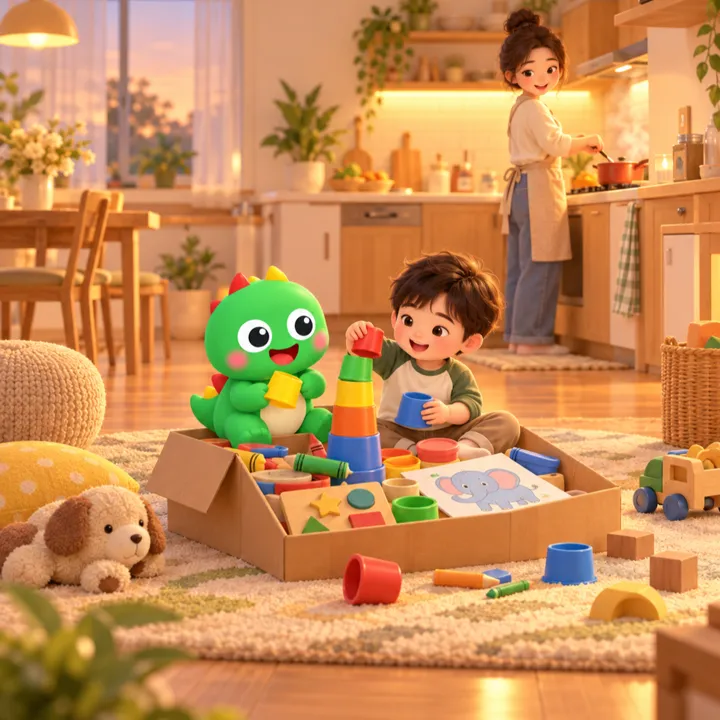
Most hand-overs happen because you need your hands free right now. Prepare a small box that only comes out while you cook: play dough, paper and crayons, a puzzle, a few picture books. Or bring your child into the kitchen: tearing lettuce, washing tomatoes, setting out spoons. Three-year-olds can do more than we expect, and they love being "a helper".
6. Start with one screen-free meal
"How do I stop my child watching videos while eating?" is one of the most common questions. The AAP recommends screen-free meals, because watching while eating makes children less aware of feeling full. Do not change every meal at once. Pick one, usually the family dinner, put every phone away, including yours, and keep it up every day. Your child will protest for the first few days; that is normal when a habit changes.
7. Teach your child to calm down, instead of letting the device do it
When your child cries because the device has gone away, Radesky's team suggests alternatives to handing it back:
- Name the feeling: "You're sad the video finished, aren't you?" Your child hears a word for what they feel, and knows you understand.
- Use the body: a tight hug, jumping, squishing play dough, listening to a song.
- Practise when calm: ask "what can teddy do when he feels sad?" at a happy moment, so the strategies are ready when things are hard.
And model it yourself. A child who watches a parent scroll through dinner will find it hard to understand why they can't.
One more option in your child's hands: Dino Kids
Some evenings you will still hand over the device. Then what is on it matters most. When the team designed the Playtime area of Dino Kids, we asked: why do children leave a learning app for YouTube? The answer was the three things above: it takes no effort, there is always something new, and something on screen is always moving.
Dino Kids does not try to beat YouTube with videos. It gives your child the same kinds of fun, movement, sound and surprise, but made by their own hands, and everything has an end.
- Your child does, not just watches. Colouring pictures by theme, free drawing, tracing letters stroke by stroke, dot-to-dot, phonics, listening to folk tales, learning piano. Wherever the finger goes, the screen responds.
- Everything has a stopping point. Finish colouring a picture and it gets its stars. When a story ends, it stops; another one does not start on its own. The "Three things today" card on the home screen has three small tasks a day; three done is a natural moment to say "that's enough for today".
- Play comes after learning, and play ends by itself. Finishing lessons earns tickets to Playtime: Letter Bubbles, Catch the Color, Count and Tap, Maze, Join the numbers, Flip cards. Each turn is short and ends on its own; for Maze, Join the numbers and Flip cards, one ticket is one puzzle. When the turn is over, the Dino says "Back to learning!". You choose how many lessons earn a ticket in Settings, behind the parent gate; see play ticket rules.
- No path to other videos. No ads, no in-app purchases, and the children's side of the app has no links out to the web or to YouTube. Inside the app, your child only meets what the app contains.
- Works with the Wi-Fi off. Lessons already downloaded to the device work offline, so the Wi-Fi trick in step 4 does not switch off Dino Kids.
- Your voice, even when you're busy. You can record yourself reading stories when you have a moment, so at dinner time your child hears your voice instead of a stranger's channel.
One way to try it in the first week: delete YouTube from your child's device, keep Dino Kids on the home screen, and if your child keeps leaving it, use Guided Access to lock the device to Dino Kids for about twenty minutes while you cook. After dinner, open "The last 7 days" in the parent area to see how many minutes your child learned this week and which letters to practise.
To be straight about what Dino Kids cannot do: it is still a screen, and it does not replace running around, sleep, or the times you sit down and play together. Dino Kids also has no built-in timer; to limit time, use the device tools above. Dino Kids is free and is something Digi Dinos builds for the community, not a revenue channel; its purpose is to give your child one more option, and to give you one more reason to sit beside them.
Start tonight
You don't need a big plan. Tonight, pick one of three things: delete YouTube from your child's device, put the phones away at dinner, or pack a "busy box" for tomorrow. Your child will push back for a few days, then get used to it. And if there is anything you would like Dino Kids to do differently to make leaving YouTube easier, write to us at dinokids@digidinos.com.
References
- Hiniker A., Suh H., Cao S., Kientz J. A., Screen Time Tantrums: How Families Manage Screen Media Experiences for Toddlers and Preschoolers, CHI 2016; University of Washington summary: Two-minute warnings make kids' screen time tantrums worse.
- Common Sense Media and University of Michigan, Young Kids and YouTube: How Ads, Toys, and Games Dominate Viewing, 2020.
- Radesky J. et al., Longitudinal Associations Between Use of Mobile Devices for Calming and Emotional Reactivity and Executive Functioning in Children Aged 3 to 5 Years, JAMA Pediatrics, 2022.
- AAP Council on Communications and Media, Media and Young Minds, Pediatrics, 2016.
- Google, Limit screen time on YouTube Kids.
- Apple, Use Guided Access on iPhone or iPad.