 Dino Kids
Every family has its own rhythm. A three-year-old often needs the reward to come early, after every lesson; an older child can learn for longer before playing. Some families would rather drop the idea of trading lessons for tickets altogether and let their child play whenever they like. The play ticket rules let you choose what suits your family. The previous article, Playtime and the games, covers how your child uses tickets; this one covers the parent's side.
Step by step
1. Open the Playtime section in Settings
On the home screen tap  , solve the sum meant for grown-ups to open Settings, then find the Playtime section.
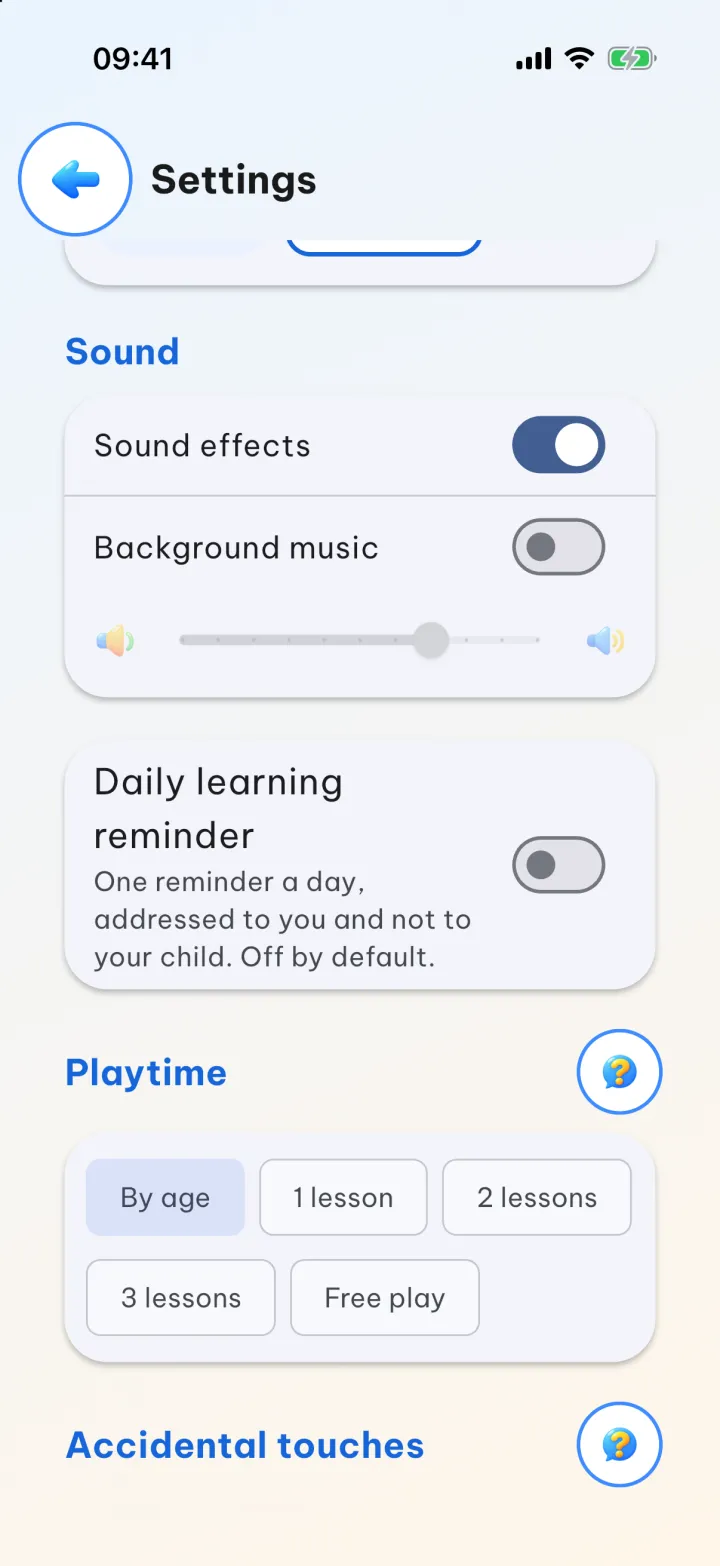
2. Choose a rule
- By age: the app goes by the age in each child's profile. A child under 5 earns 1 ticket for every lesson; a child aged 5 or over earns 1 ticket for every 2 lessons.
- 1 lesson, 2 lessons, 3 lessons: every child follows the same rule and earns 1 ticket after that many lessons.
- Free play: no tickets needed, your child can open any game, and the row of tickets in Playtime is hidden.
To change the rule, just come back here and pick another one.
3. Use the  button for a reminder
The button in this section opens a box explaining the rules, handy when you want to read them again or when someone else in the family is setting the rule. For By age, the box says the same as step 2: one lesson for a child under 5, two lessons from 5 up.
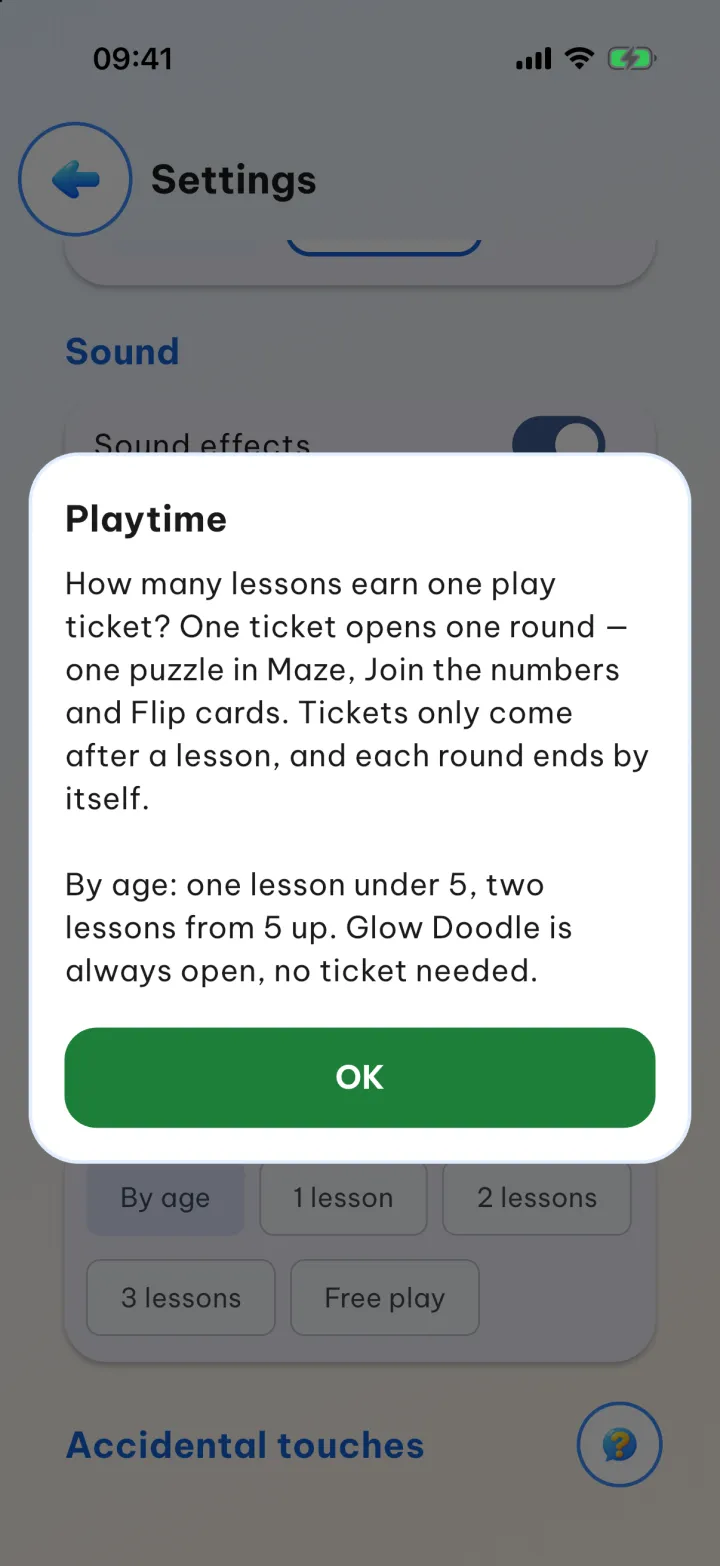 button explains each rule
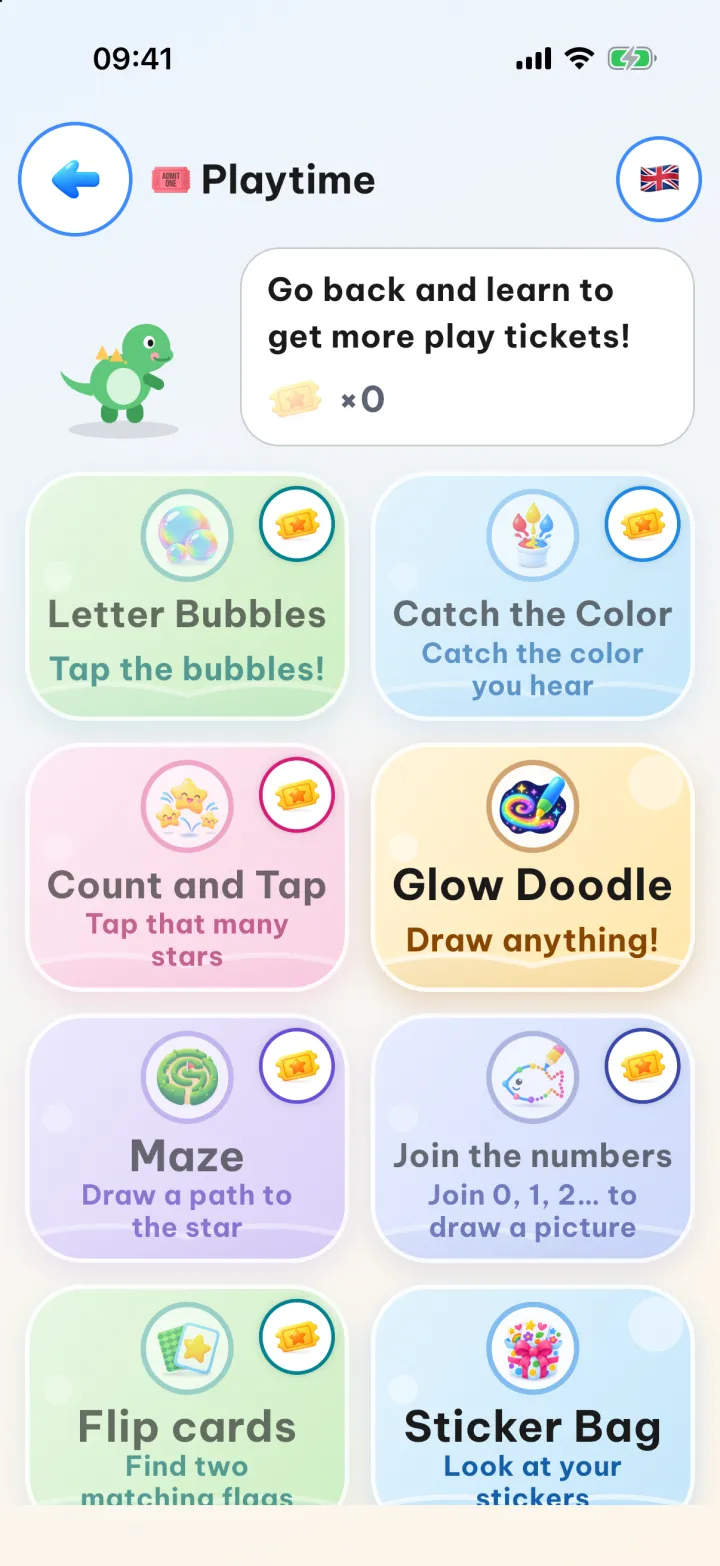
What your child sees when the tickets run out
When the tickets are used up, the row of tickets drops to ×0 and the Dino says "Go back and learn to get more play tickets!". The six games that need a ticket fade and show a ticket badge in the corner. Glow Doodle is the only game that stays bright with no badge, because it never needs a ticket, whatever the rule; the Sticker Bag stays open too.
Good to know
- The rule is set for the whole device: every child using it follows the same rule. With By age, though, each child is counted by their own age.
- Each child has their own tickets, and they don't sync to other devices, even with an account.
- Tickets don't expire. If your child opens a game and leaves before playing, they get their ticket back.
- Each ticket opens one round of play, and the round ends by itself. In Maze, Join the numbers and Flip cards, one round is one puzzle.
- You can change your child's age in their profile; see setting up child profiles.